I'm gonna go over some of the
elements of a good blog post. So the first thing is you need a catchy title
and something to entice the reader. Now I'm not saying I have the best title here, but they're actually title creators,
so let me show you one. So this is called hub spots blog topic generator
so I just typed in online learning and give me blog topics
and here's some nice titles why we love on learning and you should too, 7 things about on learning
that your boss wants to know, the worst advice we've ever
heard about online learning.
I love that title. So there's some nice titles here
and you can keep trying again. Well let's see will do so I put in Twitter
and there's lots of things you can put in. It's a bit of a formula to what they do
but you know it gives you at least a start in terms of titles and topics. Here's another one, it's called
portents content idea generator.
So I typed in online learning here
or any subject you want and then they put nine reasons
you should be talking about online learning. So they give you some suggestions
and you can redo it again, how online learning could help you
win the Game of Thrones. Well, that's interesting. 15 great articles about online learning,
so it's a pretty good idea generator. I'm sure you'll find something eventually. The next thing you'll want
is this snazzy picture, but you don't want to violate any copyright laws. So I guess you could take your own picture
or you could go to this site here which is called pexels
and you just type in the image here. I typed in technology and all these ones came up,
and there's one there the one that you might be familiar with
so there's lot so you can put in there and you can put in other titles here
and see what you can come up with.
I just clicked on browse and
there's some really nice ones. They're all free, and so it's a really good idea
to have a picture with your blog post. You want to put your name here by
and then a link to your email if you want people to contact you
and then a general format. Well now we're going to focus on content. You have an introduction here
and then you would have and I've just put these in there
and finish this article. Then you'd have headers here
maybe even shorter headers than that one and then short bits of information.
And you don't want your blog post to be too long. At the end you would like
to put in some references, however you can also have links within the actual document to
link to outside references. You just highlight the word and
right-click and put that link in.
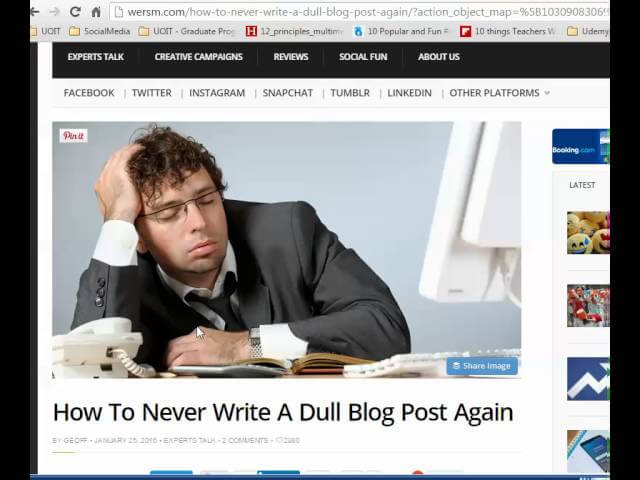
I recommend this article here called
how to never write a dull blog post again, and give you some good ideas. So I talked about headlines and whenever the hope is model
here opening plot editorial and a solution so it's a nice little story
that you might put in there. I think that would be actually good advice
if you were giving a kind of an advice blog article
and here are some ideas this is from blogging tips for
teacher the cornerstone here and it talks about the best inspiration
for blogging is your own experience which is probably true.
So how you've changed your thinking, answering questions or other people's,
reviewing books, educational conferences, great ideas, educational tools,
as we will be doing.
And then here are some other ideas you can just freeze the video
and take a look at them. Some of them are pretty good
and then you could look up the top-ten education blogs
from brainscape and see some examples there. So you have the innovative educator, the daring librarian, interesting
education, tech roundup. I'm familiar with edgy demmick and mindSHIFT
and there's some pretty good articles there. Free technology for teachers so there are some things Edutopia is pretty good
so you could take a look at those blogs and see what they post just
to get some inspiration. So that in a nutshell is how
you would create your blog entry.
So that's the content part. Now how do you do the physical part? Well, you you've been given access to my sites
and Technology in the curriculum, you can be an editor and
you would click on this link create a new post and then you
could type in your title there, but you want to take a look at the side here
so you want to put in some tags.
Put in a few here,
you could add new ones, but be careful when you add them
and they don't want. That's how people are gonna find your work so we've got digital citizenship,
future schools, learning, research, resources, tech tools,
so be careful when you add. Don't add really obscure ones. This is where you add your cool image,
so that's that's the up top the sharing here you can just leave it
show the sharing buttons and show like button we'll just
keep the post format at standard.
And then under more options you can write a short little
description of your article there. Handcrafted summaries of your content,
handcrafted so you just you know a one or two sentence summary of what you're going
to write just to entice someone to want to read it and then you're gonna allow comments and
pingbacks and Trackbacks sure we can allow that for sure and then you just create and you work
with paragraph if you're typing in a paragraph you'll want to include some headings probably the
heading to I believe and you can see that you have all these other features you can highlight and
put a link in here and so there's some pretty well straightforward things that you can do you
also want to run this through Graham Marilee so once you have your text you could create your
text ahead of time run it through grammarian or Marilee just make sure that it's you know
it's correct grammar and spelling because this is going to be public and then then you can copy
and paste it in here all right so that's how you would do this and you also can preview it what you
want to do and you could publish it and then you can edit it afterwards as well okay so that's
the basics of creating a blog entry good luck